[GUIDE] How To: Create a Melon Account
Register on Melon to Support Girl’s Day:
This guide explains how to join melon.com through your computer.
Click to Enlarge Images
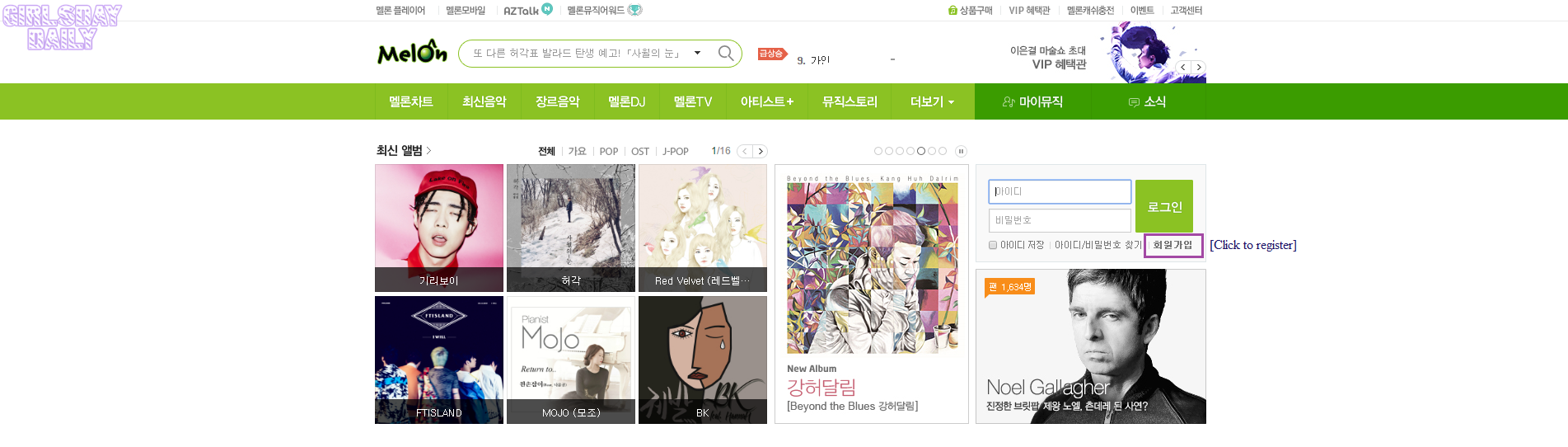
- Go to melon.com
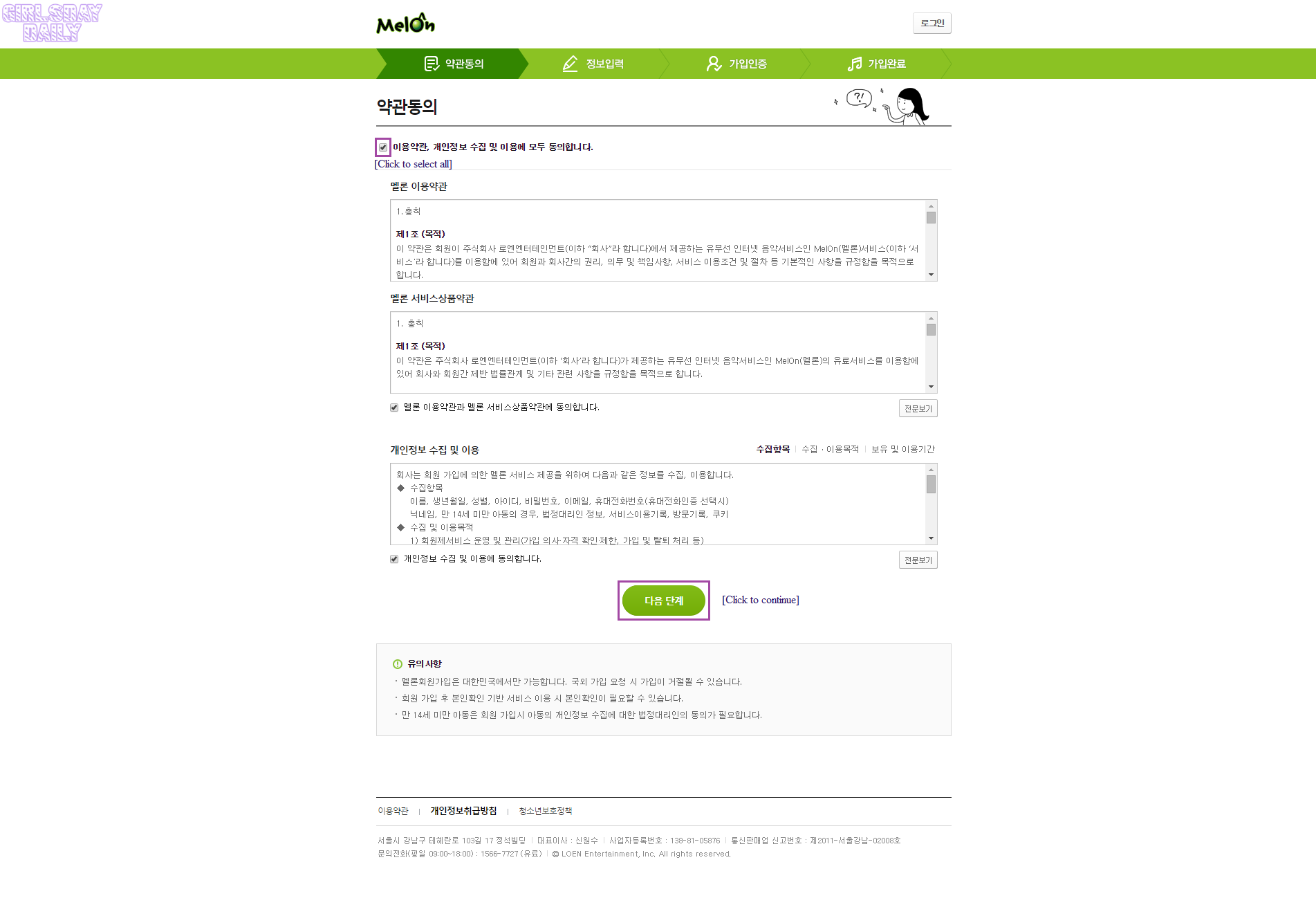
- Agree to the Terms and Conditions
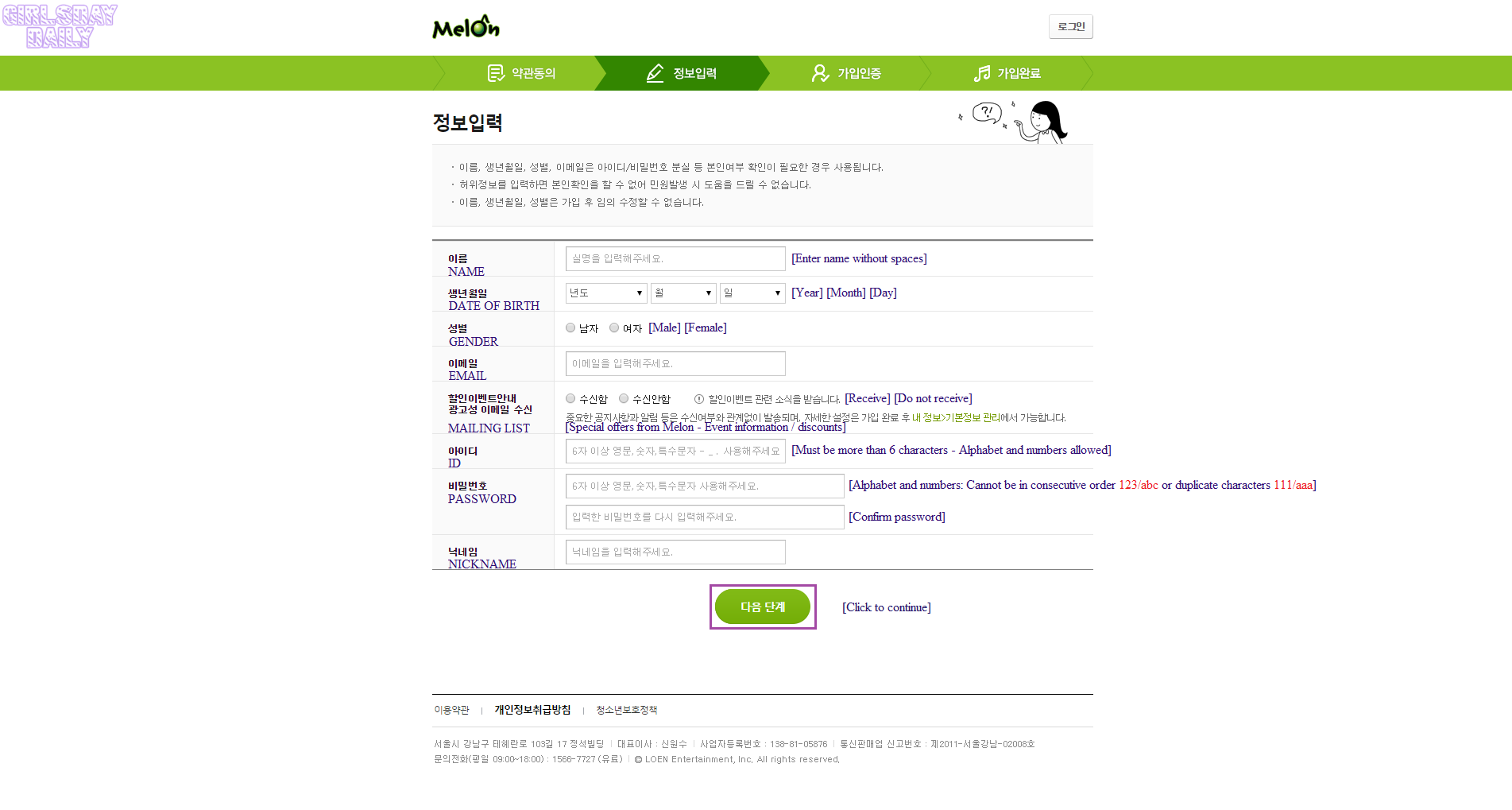
- Complete the Form
NAME: Your name may be written in English but without spaces.
EMAIL: Must be an active Email, in the next step it will be necessary to verify your account.
ID: This ID will be used to login in to your account. Must be more than 6 characters, can be a mix of lowercase letters and numbers.
PASSWORD: Must be more than 6 characters, mixing both letters and numbers. Cannot be in consecutive order 123/abc or duplicate characters 111/aaa.
-
Verify Account
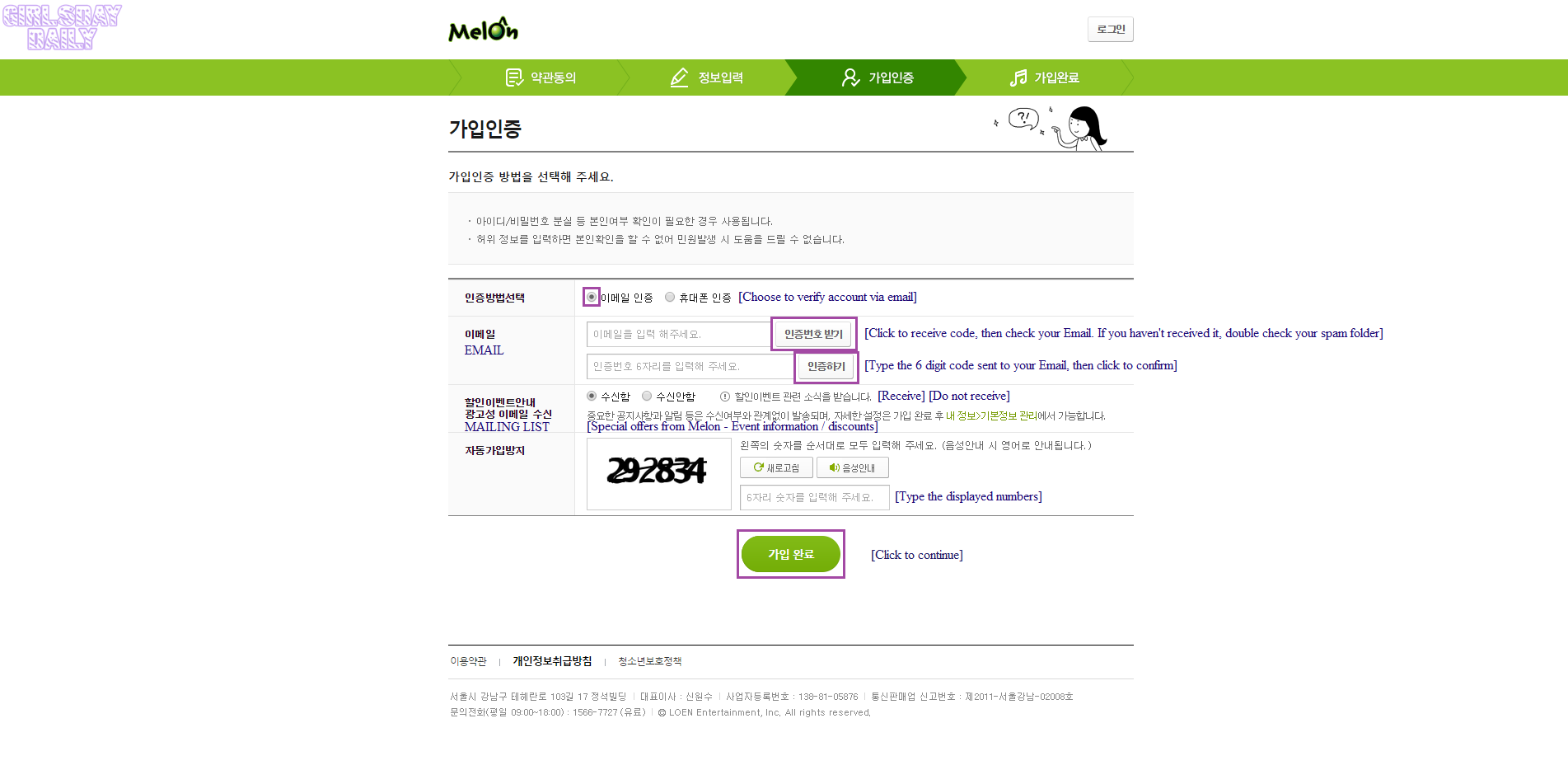
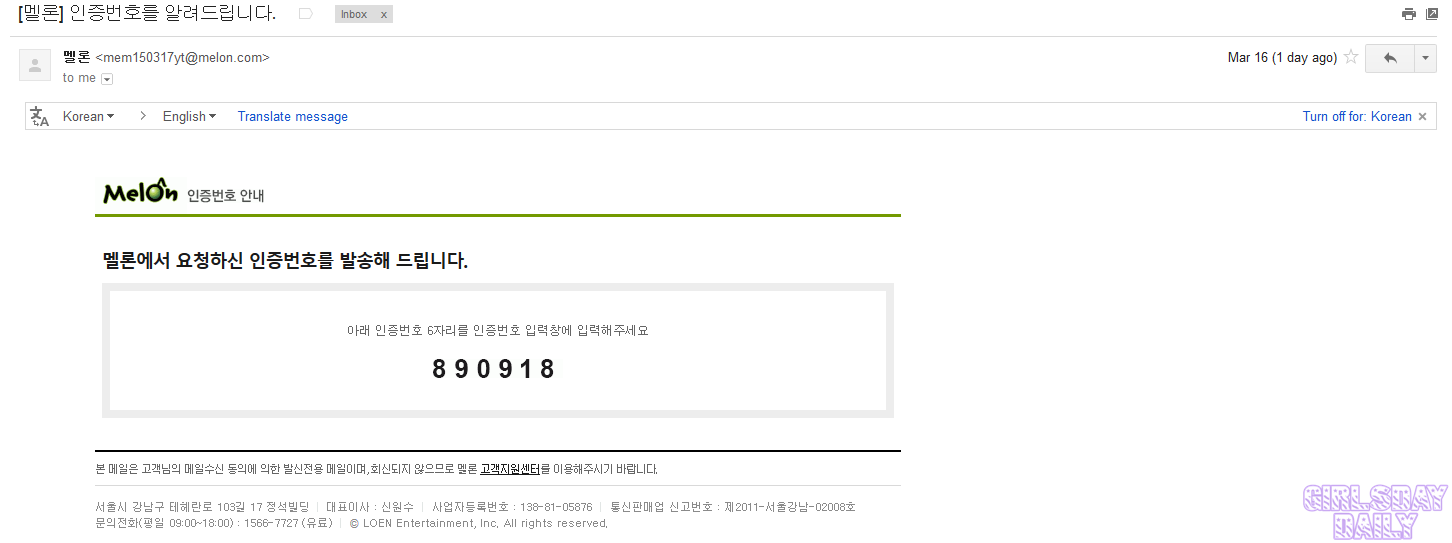
You will receive an Email like this with a 6 digit code. If you have not received the Email shortly afterwards, double check your Spam folder since my verification code was sent there.
-
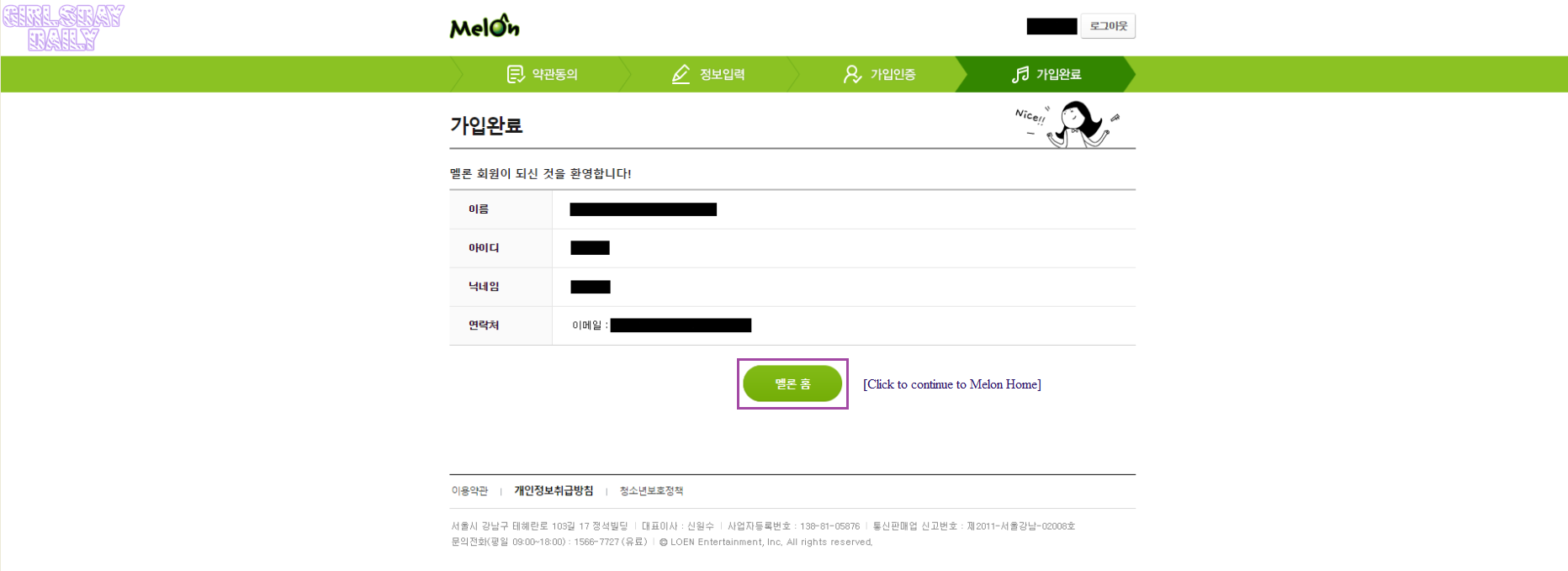
Congratulations, you are now a member on Melon!
Guide By: Girl’s Day Daily